
0%

Crafting the Perfect MVP Strategy: Stand Out or Innovate?

🌟 What is an MVP and Why Do You Need One?

An MVP (Minimum Viable Product) is the simplest version of your product that delivers core value to early adopters. It’s not about launching a half-baked product — it’s about validating your idea quickly, gathering real user feedback, and iterating fast. The goal? Minimize risk, save time, and ensure you’re building something people truly want.

Without a strong MVP strategy, you risk building features no one needs or over-engineering a product before finding product-market fit. That’s why it’s crucial to define your approach early on.
🛠️ Choosing the Right Team for Your MVP

The success of your MVP doesn’t rely on the idea alone — it’s about execution. And for that, you need the right team. Here’s what to prioritize:

  • Visionaries: You need people who understand the market and the problem you’re solving.
  • Product Managers: To keep the team aligned and prioritize features.
  • Developers: Lean, multi-skilled developers who can build fast without sacrificing quality.
  • UI/UX Designers: A clean, intuitive experience is a must — even for the first version.
  • Marketers: Someone to build early buzz and attract first users.

 Pro Tip: A small, agile, cross-functional team often works better than a large one in MVP stages.


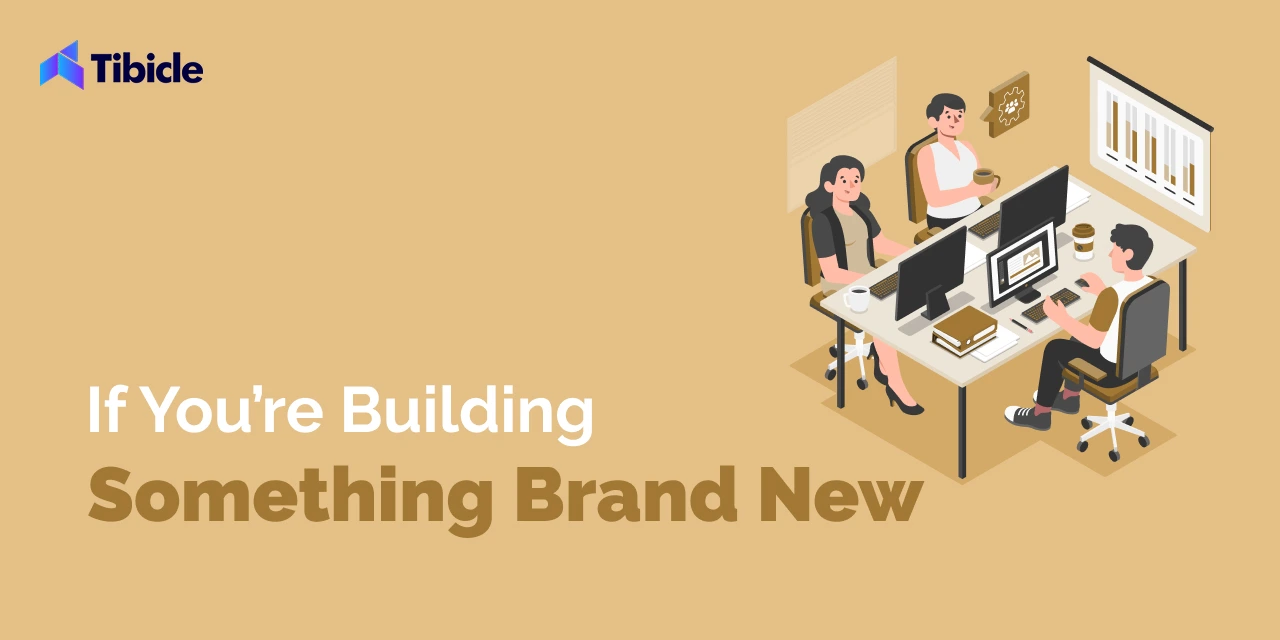
🚀 If You’re Building Something Brand New

When creating a product that doesn’t yet exist, your focus should revolve around these four pillars:

  1. Features: Start by identifying the core problem you’re solving. Focus only on essential, high-impact features. Every feature should directly address a pain point or create undeniable value.
  2. Ease of Use: No one wants to struggle with a new product. Keep it intuitive. The fewer the clicks, the better.
  3. Ease of Understanding: The faster users “get it,” the quicker they’ll adopt it. Your messaging and functionality must be crystal clear.
  4. UI/UX: Even early adopters appreciate a clean, modern look. A polished UI enhances credibility, while a smooth UX keeps them engaged.

💡 Pro Tip: Test small. Validate the core concept before you expand.
 

🔥 If You’re Competing in an Existing Market

For MVPs in spaces like dating apps or fitness trackers — where giants already rule — you need an edge. Focus on these essentials:

  1. Unique Selling Proposition (USP): What’s the one thing that makes your product stand out? Whether it’s an AI-driven matchmaker, voice-first dating, or a niche community, define your USP early and make it unmissable.
  2. Superior UI/UX: Users compare. If your product looks outdated or feels clunky, they won’t stick around. Beat competitors with a cleaner, faster, and more delightful experience.

💡 Pro Tip: Study user complaints on existing apps. Solve those pains.
 

🔧 Bonus Tips (For Any MVP!)

  • Scalability: Build with future growth in mind — but don’t over-engineer.
  • Feedback Loop: Build, measure, learn. Quickly.
  • Monetization: Plan early. Will it be freemium? Subscription? Ads?

 

🎯 Final Thoughts

Whether you’re blazing a new trail or taking on a crowded market, the MVP’s goal is the same: get to market fast, learn fast, and adapt fast.

What kind of MVP are you working on? Let’s discuss in the comments!
Website Launch Checklist: 20 Essential Steps for a Successful Launch

Are you excited about reaching another milestone for your business’s online presence? It’s the moment when your hard work goes live for the world to see, but it’s also a critical phase that requires careful attention to detail.

Behind every smooth launch is meticulous planning. From designing a flawless website to launching high-performing coding, you have to keep in mind various aspects for great results.

Owing to various parts of website development and launch, missing a single step can lead to security vulnerabilities, poor user experience, and broken links. These can frustrate visitors and impact your brand’s reputation.

Despite that, you can use a pre-launch checklist to review all the most critical features before publishing your website live. Thus, you can save your website from a poorly executed launch strategy.

Now, the question is, how do you do that?

Don’t worry. This blog comes to the rescue.

In this blog, we’ll provide a comprehensive website launch checklist to help ensure your website launch is as seamless as possible. By the end of this pre-launching website launch checklist, you’ll be able to confidently launch your website, knowing that everything has been double-checked and is ready to shine.

Crucial 20 Website Launch Checklist Before Launching Your Website

From the first seconds of visiting the website, people judge your business based on your website’s design. So, let’s discuss the design checklist first.

#1. Design and User Experience (UX)

Every user who visits your website only connects with you when they understand your vision and value. Design is the only way that influences the users so they can connect with your brand and do what you want, such as buy your products or send a query to learn more about services.

That’s why, to launch an effective website, you need to check everything about the design.  These are the checklists that you need to ensure a credible website design for your website.

Consistent Design Across Devices

Website Navigation

Whitespace and Padding

Text Size and Readability

Images and Media Scaling

No Horizontal Scrolling

Clickable Buttons and Links

Orientation Adjustments

Call-to-Action (CTA)

A- Consistent Design Across Devices

Firstly, there is a tremendous amount of variety in the device’s size. That’s why your website needs a responsive design to easily adjust any device size. Ensure the overall design is consistent between various devices in desktop and mobile versions to maintain the same brand feel and style.

Check that fluid grid layouts and media queries are added to adjust the layout based on the screen size.

Implement a mobile-first approach to prioritize mobile responsiveness before scaling up to larger devices.

Use srcset attributes and sizes attributes to ensure images scale appropriately across devices.

Confirm that your text displays correctly on all devices.

Ensure that touch elements are properly aligned with your design.

Now they visited your website and want to explore your website, what will they do next?

B- Website Navigation

After they visit your website, you need to focus on how they interact with it.  That way, optimized navigation is the essential factor that allows visitors to explore your website. To ensure smooth navigation, you can check the following pointers before launching your website.

Ensure the navigation structure is simple and logical.

Limited menu items.

Ensure drop-down menus or mega menus function properly, with all options visible and selectable.

Use familiar terms and labels that clearly describe each section or page.

Check that the navigation is optimized for mobile devices and that all links are properly working.

Verify that mobile users can easily access key areas of the site without excessive scrolling or zooming.

Make sure the navigation is consistent on every page, both in style and structure.

Ensure the position of the menu (top, side, footer) remains the same across all pages.

Verify that all navigation links lead to the correct destination.

Highlight the active page or section so users know where they are on the site.

Check for broken or dead links and fix any errors.

Avoid vague terms like “stuff” or “click here.” Use meaningful and concise words.

Ensure icons used in navigation are easy to understand and support the text labels.

Check if the sticky navigation works well across devices.

Ensure the back-to-top button is functional, especially on long pages, making navigation easier.

Confirm the footer contains additional navigation links for key pages, providing an alternative way for users to move through the site.

Check if the footer is consistent and functional across all pages.

Check for custom 404 error pages to handle broken or missing links gracefully, guiding users back to a working section of the site.

Ensure the 404 page includes helpful navigation or search features.

For the large webpage’s website, the breadcrumb navigation system is useful. So, if you are adding this type of navigation, review all breadcrumbs to be functional and clickable.

Test the search bar to ensure it provides relevant and accurate results for user queries.

Ensure that the search results page is easy to navigate.

By focusing on these factors, you can guarantee that users will have an enjoyable and seamless experience when navigating your website after development.

Node JS vs PHP: Which Backend to Choose for Your Project

Choosing the right backend technology is a crucial decision that can significantly impact the success of your project. Whether you’re building a simple website, a complex web application, or an API-driven platform, the backend forms the foundation of your entire digital ecosystem. Two of the most popular options in the web development world are Node js vs PHP. Both have their strengths and unique features, but they cater to different needs and project types.

In this blog, we’ll explore the key differences between Node js vs PHP, helping you understand which technology is best suited for your specific requirements. By the end, you’ll have a clearer idea of whether to go with Node.js for its high performance and scalability or stick with PHP for its ease of use and widespread support. 

Let’s dive in and compare these two powerful backend technologies to help you make an informed choice for your next project.

What is Node.js?

Node.js is a technology that helps run web applications on servers. Imagine it as a super-efficient engine that handles requests and sends data back to users. 

For example, when you use a chat app, Node.js manages the messages and updates in real-time. It uses JavaScript, a language commonly used in web browsers, but runs on the server instead.

This means developers can write both the front-end and back-end of web applications in the same language, making it easier to build and maintain websites and apps. Node.js is popular for its speed and ability to handle many tasks at once.

What is PHP?

PHP is a scripting language used to create and manage websites. Think of it like a set of instructions that a web server follows to generate web pages. When you visit a website, PHP helps to pull information from a database, process it, and display it on the page you see. It’s especially good for creating interactive features, like user logins and forms. 

For example, when you log into your email account, PHP helps manage that process in the background. It works behind the scenes, so you don’t see it directly, but it’s crucial for many websites to function smoothly. With the dominating figure of 75.9% of all the websites whose server-side programming language we know, use PHP. Such as Microsoft.com, Facebook.com, Wikipedia.org, WordPress.org, and Vimeo.com.

Node js vs PHP: A Quick Comaprison Table

AspectNode.jsPHPWinner
Language TypeJavaScript (server-side)Server-side scripting languageTie (depends on preference)
PerformanceFast, non-blocking I/OImproved performance in recent versions, but generally slower than Node.jsNode.js
ScalabilityExcellent for real-time, scalable applicationsGood for traditional web applications, but less scalable for real-time appsNode.js
Learning CurveSteeper for beginners, easier for those familiar with JavaScriptEasier for beginners, widely taughtPHP
Community SupportLarge, active communityVery large, mature communityTie
Package Managementnpm (largest package ecosystem)Composer (growing, but smaller than npm)Node.js
Framework AvailabilityExpress.js, Nest.js, MeteorLaravel, Symfony, CodeIgniterTie
Database SupportExcellent with NoSQL (e.g., MongoDB), good with SQLExcellent with SQL, good with NoSQLTie
Hosting OptionsMany options, some specializing in Node.jsWidely supported, often cheaperPHP
Use CasesReal-time applications, APIs, microservicesContent management systems, traditional websitesDepends on project
Job Market (2024)High demand, growingStable demand, widely usedNode.js (for growth)
Corporate BackingSupported by OpenJS FoundationSupported by PHP FoundationTie
Latest Version (2024)Node.js 20.x (LTS)PHP 8.3Tie
Development SpeedFast for experienced developersFast, especially with modern frameworksTie
Cross-platform SupportExcellentGood, but less nativeNode.js
Asynchronous ProgrammingBuilt-in, core featurePossible, but not as seamlessNode.js
SecurityGood, requires careful configurationGood, mature security practicesTie
Enterprise AdoptionGrowing rapidlyWell-establishedPHP (for now)
Mobile App DevelopmentSuitable with frameworks like React NativeLess common, but possible with frameworks like PhoneGapNode.js

Let’s read detailed comparing Node JS vs PHP

Choosing between Node.js and PHP for your project depends on various factors, including your project requirements, team expertise, and long-term goals. Below is a comparison of both technologies to help you make an informed decision: