10 Hiring Developers Mistakes That Cost You Great Candidates

Introduction

Hiring developer talent through a traditional process now averages over four months from job post to first line of production code. That is eight missed sprints, eight rounds of existing engineers covering gaps, and eight opportunities for a competitor to ship first. About 60% of candidates abandon applications because processes are too long or complex. Another 52% of job seekers decline offers because of poor candidate experience during the recruitment process.
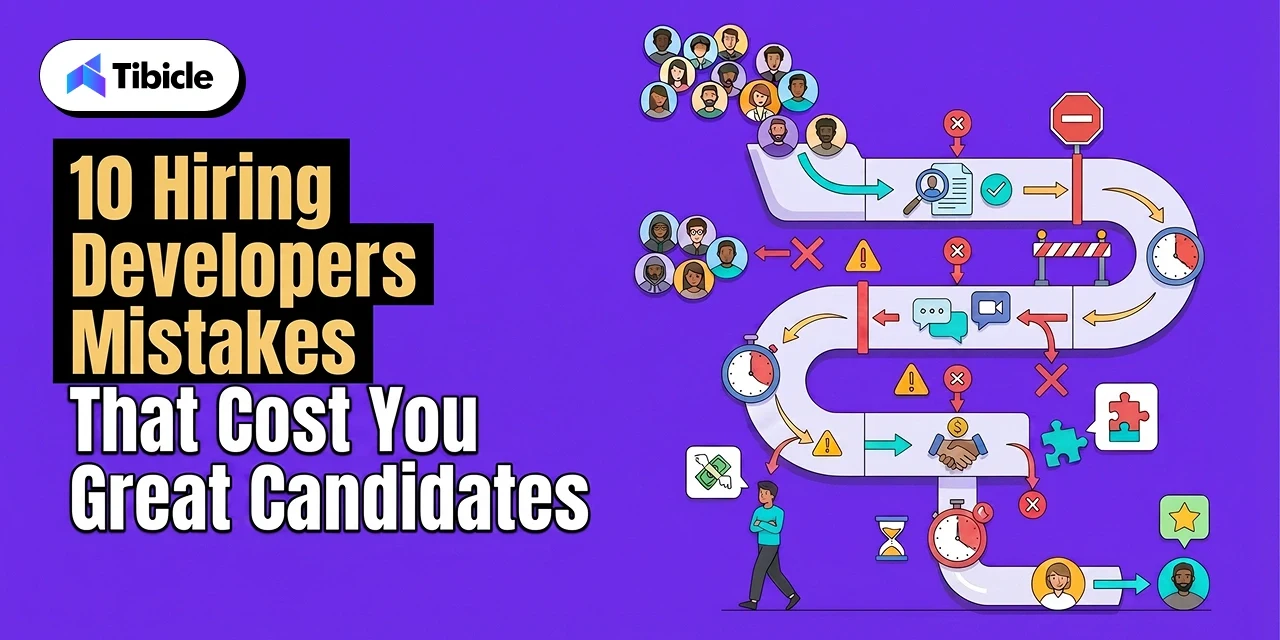
The problem is not a talent shortage. The problem is a process problem. This guide breaks down the 10 hiring developer mistakes that drain your pipeline and explains how to fix each one for a competitive 2026 market.

Why Is Hiring Developer Talent Taking Over 4 Months?

Traditional hiring developer pipelines now average over four months from job posting to first day. This creates roadmap delays, team overload, and a shrinking pool of available candidates. Companies that restructure their hiring developer workflow around structured interviews and clear timelines consistently close roles in 10 to 14 days.

1. The Timeline of Traditional Software Engineer Hiring

The 12 to 19 week hiring developer cycle breaks into predictable, compounding delays. Resume screening takes 2 to 3 weeks because most teams lack structured scoring criteria. Recruiters re-review the same profiles without clear rubrics, stacking unnecessary time onto the front end of every search.

Multi-stage interview loops add 4 to 6 weeks. Interviewers frequently overlap on the same skill areas instead of dividing evaluation responsibilities across rounds. A typical software engineer hiring loop covers algorithmic ability three separate times while skipping system design or collaboration evaluation entirely.

For senior roles, the hiring developer timeline gets worse. Interview rounds for senior tech candidates can stretch to 71 days, driven by multi-panel reviews and system design evaluations where scheduling alone costs weeks. One declined offer at this stage forces a near-complete restart. That restart begins from zero in a market where top candidates stay available for roughly 10 days before accepting elsewhere.

2. Hidden Costs of Slow Recruitment Velocity

A bad hiring decision costs 30% of annual earnings, according to the U.S. Department of Labor. For a senior developer earning $160,000 per year, that is $48,000 at minimum. When you factor in recruitment fees, onboarding waste, lost productivity, and restarting the entire search, total losses for senior positions can exceed $240,000.

The cost of a vacant seat compounds daily. Every sprint without a developer means features that do not ship and revenue that does not arrive. Your existing engineers absorb the extra load, increasing their burnout risk and compounding your developer retention problem. When 40% of developers already plan to leave their current role within a year, overloading your remaining team accelerates the cycle of loss.

Companies that restructure their hiring developer velocity using pre-vetted talent acquisition networks have reduced the four-month average to 10 to 14 days. Understanding these costs is the starting point. Identifying the specific hiring developer mistakes that inflate them is where the real progress happens.

10 Hiring Developer Mistakes That Cost You, Great Candidates

Successful software engineer hiring requires removing the friction points that quietly push qualified talent out of your pipeline. Each of these ten hiring developer mistakes inflates cost, extends timelines, and hands your best candidates to competitors who move faster.

Common Hiring Developer Mistakes to Avoid

  1. Ghosting and slow feedback loops: A recruiter who goes silent for five days after a technical interview process round sends a clear message: this company does not value your time. The fix is a 48-hour feedback SLA at every stage. Assign a single point of contact per candidate who sends updates, even when the update is “still in review.” Speed of response is a zero-cost differentiator that separates strong hiring developer pipelines from broken ones.
  2. Lengthy application forms: Every field beyond the essentials is a decision point where a qualified developer chooses that your hiring developer process is not worth the effort. Trim applications to three components: resume upload, portfolio or GitHub link, and one short-answer question. Anything beyond that belongs in the interview, not the application. Shorter forms directly improve candidate experience and reduce the 60% drop-off rate documented by SHRM.
  3. Irrelevant technical tests: Algorithm puzzles that test LeetCode grinding instead of real debugging or feature building are filtering out your best candidates. 66% of developers want to be evaluated on real-world skills, not theoretical tests. The developers strongest at shipping production code are often the worst at timed abstract puzzles. Replace these with take-home projects scoped to 60 to 90 minutes, or pair programming sessions that mirror actual sprint work for better software engineer hiring outcomes.
  4. Hiding salary ranges: Publishing pay bands is not a risk. Salary transparency in every listing removes the single largest source of late-stage drop-off and wasted interview hours. CareerPlug found that 47% of candidates prefer to see salary information before applying. The candidates who opt out because of a published range were never going to accept your offer. Withholding pay wastes time for both sides and represents a core tech recruitment error.
  5. Excessive interview rounds: Cap your hiring developer process at three rounds: one screening call, one technical deep-dive, and one culture or leadership fit conversation. Multi-panel marathons stretch the software engineer hiring timeline to 71+ days for senior roles. If you cannot determine fit in three rounds, the problem is your evaluation criteria, not the candidate.
  6. AI over-reliance in screening: Recruitment automation filters reject qualified developers before a human reviews their profile. Keyword-matching ATS systems penalize non-traditional career paths, career-changers, and candidates who describe the same skills with different terminology. A strong hiring developer pipeline and effective software engineer hiring require human judgment at the screening stage. Use AI to rank and surface, not to auto-reject.
  7. Ignoring non-traditional platforms: Developers build reputations through GitHub repositories, open-source contributions, Stack Overflow answers, and hackathon results. If you are hiring developer sourcing only to scan LinkedIn and job boards, you are missing where the strongest engineers actually demonstrate their skills. Add GitHub profile review and open-source contribution checks to your sourcing workflow as standard practice.
  8. Lack of innovation signals: Unsatisfying work is one of the top reasons developers switch companies, with 40% planning to leave their current role within a year. Your hiring developer job postings need to highlight the specific technical problems candidates will solve, the system design challenges they will face, and the impact their work will have. Listing a tech stack without describing the problems it serves tells a developer nothing about whether the work will challenge them.
  9. Misaligned job descriptions: 77% of organizations reported difficulty recruiting for full-time positions in 2024, with skills mismatches and candidate expectations being top contributors. This is a tech recruitment error problem that starts before a single application arrives. Write descriptions based on the first 90 days of actual work, not aspirational wishlists. If you list 15 required skills for a mid-level role, you are describing a staff engineer and pricing yourself out of realistic candidates.
  10. Rigid work location policies: A restrictive remote work policy drives developers away. SHRM data shows that organizations with flexible work arrangements report less trouble recruiting than those without (22% versus 29%). Developers are not just switching companies for flexibility. They are leaving the industry entirely when employers refuse to offer it. Offering location flexibility is one of the lowest-cost, highest-impact changes any company can make to their hiring developer strategy. If the role can be performed remotely for even three days a week, say so in the listing.

Quick-Reference: 10 Hiring Developer Mistakes and Fixes

# The Recruitment Error The Cost to Your Pipeline The Actionable Fix
1 Ghosting & Slow Feedback 52% of candidates decline offers due to poor recruitment experience (CareerPlug, 2024). Enforce a 48-hour feedback SLA and assign a single point of contact per candidate.
2 Lengthy Applications 60% of applicants abandon complex forms. Every extra field is an exit ramp (SHRM 2024). Limit applications to three items: resume upload, GitHub/portfolio link, and one short-answer question.
3 Irrelevant Tech Tests 66% of developers want real-world evaluations, not theoretical puzzles (HackerRank, 2025). Replace algorithm puzzles with 60-90 minute practical take-home projects or pair programming sessions.
4 Hiding Salary Ranges 47% of candidates prefer salary info before applying. Missing pay data causes late-stage drop-off (CareerPlug, 2025). Publish realistic compensation bands in the job description to reduce wasted interview hours.
5 Excessive Interview Rounds Multi-panel marathons stretch the software engineer hiring timeline to 71+ days (InterviewPal, 2025). Cap the process at 3 rounds: a screening call, a technical deep-dive, and a leadership/culture fit discussion.
6 AI Over-Reliance in Screening Automated keyword-matching auto-rejects capable developers with non-traditional backgrounds. Use AI tools strictly to rank and surface candidates, reserving human judgment for screening decisions.
7 Ignoring Niche Platforms Relying solely on LinkedIn and standard job boards misses where real building happens. Actively source talent through GitHub repositories, Stack Overflow, and open-source contributions.
8 Vague Innovation Signals Fails to engage the 40% of developers actively seeking more satisfying, challenging work (HackerRank, 2025). Highlight specific system design challenges and technical problems they will solve, not just the tech stack.
9 Misaligned Job Descriptions Aspirational wishlists (e.g., demanding 15 skills for a mid-level role) price you out of the market (SHRM 2024). Write the job description based strictly on the required output for the first 90 days of actual work.
10 Rigid Remote Policies Developers will abandon your pipeline (or the industry entirely) for lack of flexibility. Explicitly state location flexibility upfront. If the job can be done remotely 3 days a week, put it in the listing.

Fixing even three of these hiring developer mistakes will show measurable improvements in time to hire and offer acceptance within a single quarter. The next section explains which of these tech recruitment errors cause the most damage and how to prioritize fixes.

What Tech Recruitment Errors Cause 60% of Candidates to Leave?

Lengthy or complex application processes cause 60% of candidates to abandon their applications before completion. Speed and responsiveness are what separate companies that close top talent from those that lose them to tech recruitment errors.

1. The Impact of Ghosting and Poor Communication

Silence from recruiters does not just lose one candidate. It damages employer branding across your entire talent acquisition pipeline. Candidates who have negative hiring developer experiences share them. 52% of U.S. job seekers report being ghosted after an interview, and those candidates tell their networks. 65% of ghosted candidates say the experience made them less likely to reapply or refer others.

The other side of this equation is equally powerful. Gallup found that two-thirds of recent hires accepted offers primarily because of an exceptional recruitment experience. This makes the candidate experience a direct revenue lever, not a feel-good metric.

Here is what works for hiring developer communication: assign one recruiter as the single point of contact per candidate. That person sends status updates at every stage, even when the update is “still under review.” Candidates who feel informed stay in the pipeline. Candidates who feel ignored withdraw and tell five colleagues about it.

2. Friction in the Application Stage

The 60% drop-off rate is a process design problem with a process design solution. Hiring developer application forms with fewer than 12 fields consistently outperform longer ones in completion rates. Every field you add is a decision point where a qualified developer decides your hiring developer process is not worth the effort. Keep the application short and move the detailed questions to the technical interview process stage, where the candidate has already shown interest.

Withholding compensation data creates friction that filters out the majority of applicants before any meaningful conversation happens. 47% of job seekers want salary details before applying. Pair short forms with published salary bands, and you address two of the largest sources of tech recruitment errors in one move.

The candidate experience throughout this stage shapes whether a developer sees your hiring developer pipeline as organized and respectful, or bureaucratic and slow. That first impression sticks. It determines whether they accept your offer or go with the company that made them feel valued from the first click.

How Tibicle Strengthens Your Hiring Developer Pipeline

Tibicle is an end-to-end product engineering agency that removes the hiring developer bottleneck between open roles and shipping code. With 50+ qualified professionals and 62+ delivered global projects, Tibicle lets you skip the four-month wait and plug senior engineers directly into your sprints.

  • Direct senior engineer collaboration: No proxy account managers or junior relays. You work directly with the engineer writing the code in an accountable agile environment.
  • Cross-platform web and app engineering: React Native, Flutter, and Node.js deployments that reduce development time and optimize budgets across mobile and web ecosystems.
  • 90% customer retention rate: A delivery track record that proves team fit and consistency across 62+ global projects.

Stop losing candidates to a broken hiring developer process.

Book a 15-minute discovery call with Tibicle to see how a dedicated engineering team can unblock your roadmap this quarter.

Conclusion

Hiring developer talent in 2026 demands a shift from bureaucratic screening to candidate-first experiences. Eliminate friction like slow feedback loops, irrelevant coding assessments, and hidden salary ranges. That is how you reduce the four-month average and avoid the $240,000 cost of a bad hire.

Focus on transparency, speed, and respect for the candidate’s time. The companies that treat software engineer hiring and their hiring developer workflows as a product experience will win the best talent. Avoid the tech recruitment errors outlined above, and the results will follow. 

Contact Tibicle to streamline your technical talent acquisition today.

FAQs

1. How much does a bad tech hire cost in 2026?
A bad hiring decision costs an average of 30% of the first-year earnings, per the U.S. Department of Labor. For senior software engineers or specialized roles, total losses from a flawed hiring developer process reach $240,000 when you include recruitment fees, lost productivity, and the full cost of restarting the search (SHRM 2024).

2. Why are developers abandoning job applications?
About 60% of developers abandon applications because of lengthy or complex forms (SHRM 2024). Another 47% prefer to see salary information before applying (CareerPlug, 2025). Missing compensation information is a major driver for high drop-off rates in the initial hiring developer screening stages.

3. How long does it take to hire a software engineer?
Traditional software engineer hiring takes over four months on average from job posting to start date (Ideaware, 2026). Entry-level roles may close in 40 days, but senior hiring developer loops often stretch to 71 days with multi-panel evaluations and system design reviews (InterviewPal, 2025).

4. Are technical assessments effective for senior developers?
Many assessments are failing their purpose. 62% of developers feel forced to overprepare for tests using skills they rarely apply on the job (HackerRank, 2025). Real-world project evaluations and pair programming sessions are more reliable for hiring developer decisions than timed algorithm puzzles. 66% of developers prefer evaluations based on real-world skills.

5. How can I improve my offer acceptance rate?
Two-thirds of recent hires accept offers based on the quality of the recruitment experience itself (Gallup, 2025). Reduce communication delays and make the technical interview process respectful and relevant. These two changes directly lower the 52% offer decline rate caused by poor candidate experience and improve software engineer hiring outcomes across the board.

6. What are the biggest tech recruitment errors companies make?
The top tech recruitment errors include ghosting candidates, hiding salary ranges, running excessive interview rounds, and relying on irrelevant coding assessments. These hiring developer friction points collectively cause over 60% of qualified candidates to exit the hiring developer pipeline before an offer is made.
Top 25 AI Tools Revolutionizing Digital Workflows in 2025

Introduction

Artificial Intelligence is no longer futuristic—it’s the engine powering digital innovation in 2025. From full-stack web apps and SEO content to UI design and code automation, AI is reshaping how we build and scale digital experiences. Today’s creators, startups, and enterprise teams all demand faster execution, smarter workflows, and higher creativity and AI delivers exactly that. The challenge? With hundreds of new platforms launching every month, finding the right tools can feel overwhelming.

That’s why we’ve curated this guide to the 25 most powerful AI tools worth your time. Each is chosen for its real-world impact, ease of adoption, and ability to supercharge workflows across five key categories.

  • Content Creation – Platforms that produce videos, voiceovers, graphics, and articles, often from just a few lines of text.
  • Web & App Creation – Tools that help create websites, apps, and UI components using natural language or visual inputs.
  • SEO & Digital Marketing – Assistants that improve keyword use, automate outreach, and boost content visibility.
  • Design Tools – AI platforms that turn sketches or prompts into brand assets, wireframes, and design systems.
  • Developer Assistance – Tools focused on smart code suggestions, debugging, and real-time software development support.

Whether you’re prototyping an idea, launching a product, or scaling creative output, these tools will help you work faster, think bigger, and get more done with less manual effort.

Overview of Top 25 AI Tools by Category

Before diving into individual features and use cases, here’s a snapshot of the 25 tools categorized by their core functionality.

I. AI Tools for Content Creation

(Generate videos, visuals, voiceovers, and media content with ease)

  • Imagine Art: Real-time image/video generation
  • Google Veo3: Cinematic AI video generator
  • Sora: Text-to-video storytelling tool
  • OpusClip: AI-powered short video creator
  • Hey Gen: AI avatar-based video production

II. AI Tools for Web & App Creation

(Generate website and app wireframes, design structures, and deploy full-stack applications)

  • Relume: Website wireframes from prompts
  • Lovable: Prompt-based web & app builder
  • Bolt: Instant AI web app generator
  • Firebase Studio: Firebase-integrated app builder
  • Replit: Collaborative, AI-powered coding platform

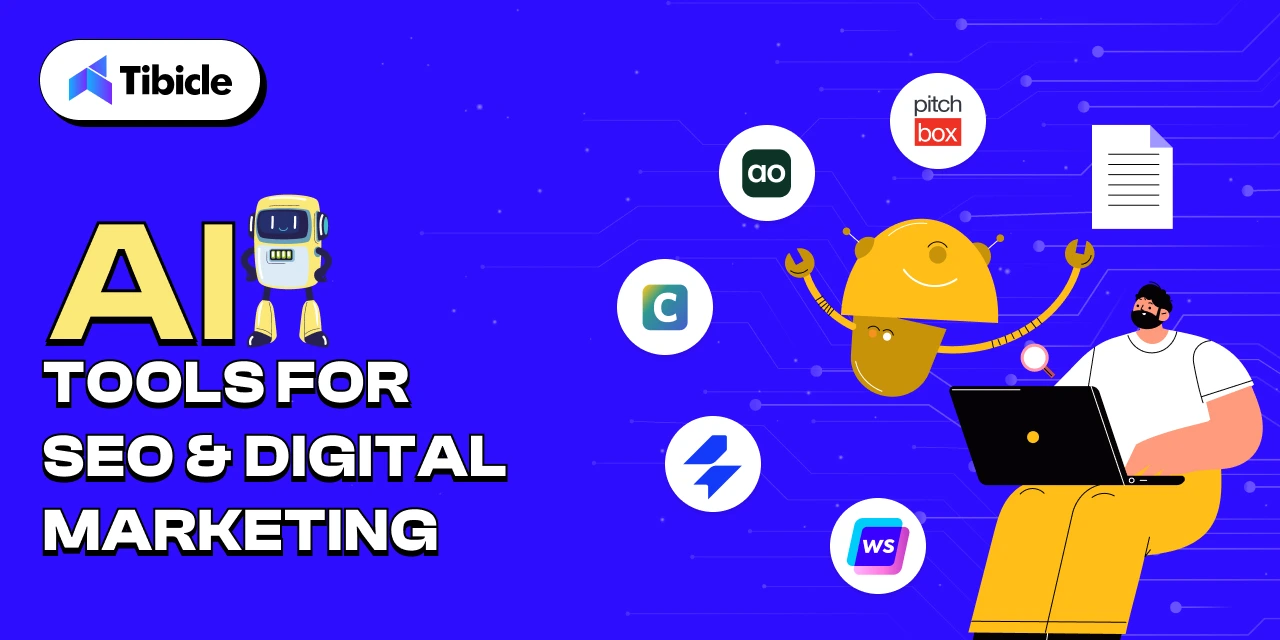
III. AI Tools for SEO & Digital Marketing

(Automate keyword planning, content optimization, and outreach)

  • Writesonic: AI content & ad generation
  • SE Ranking: Keyword research and tracking tool
  • Clearscope: Content scoring and SEO assistant
  • Airops: SEO automation and workflow integration
  • Pitchbox: Outreach and link-building automation

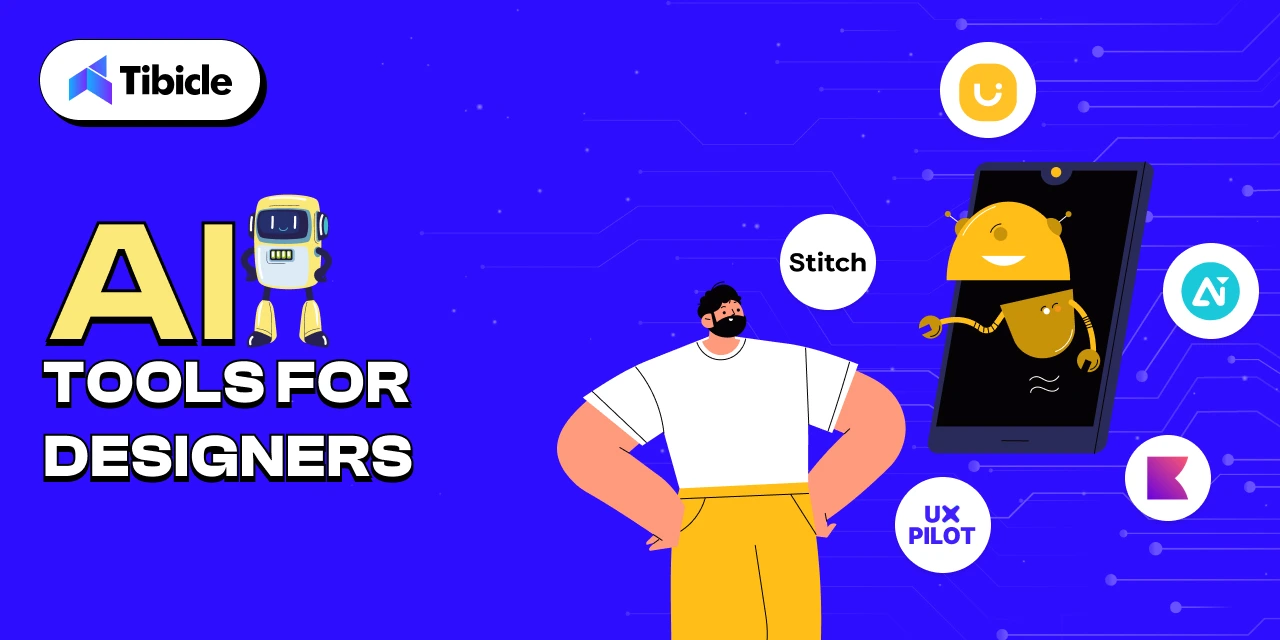
IV. AI Tools for Designers

(Convert sketches, prompts, or screenshots into complete UI/UX elements and branding assets)

  • Uizard: Sketch-to-UI prototyping tool
  • Stitch (formerly Galileo AI): Prompt-based UI designer
  • UX Pilot: AI-based UX suggestions from screens
  • Designs.ai: Branding suite logo, video, social media assets
  • Khroma: AI-generated color palettes

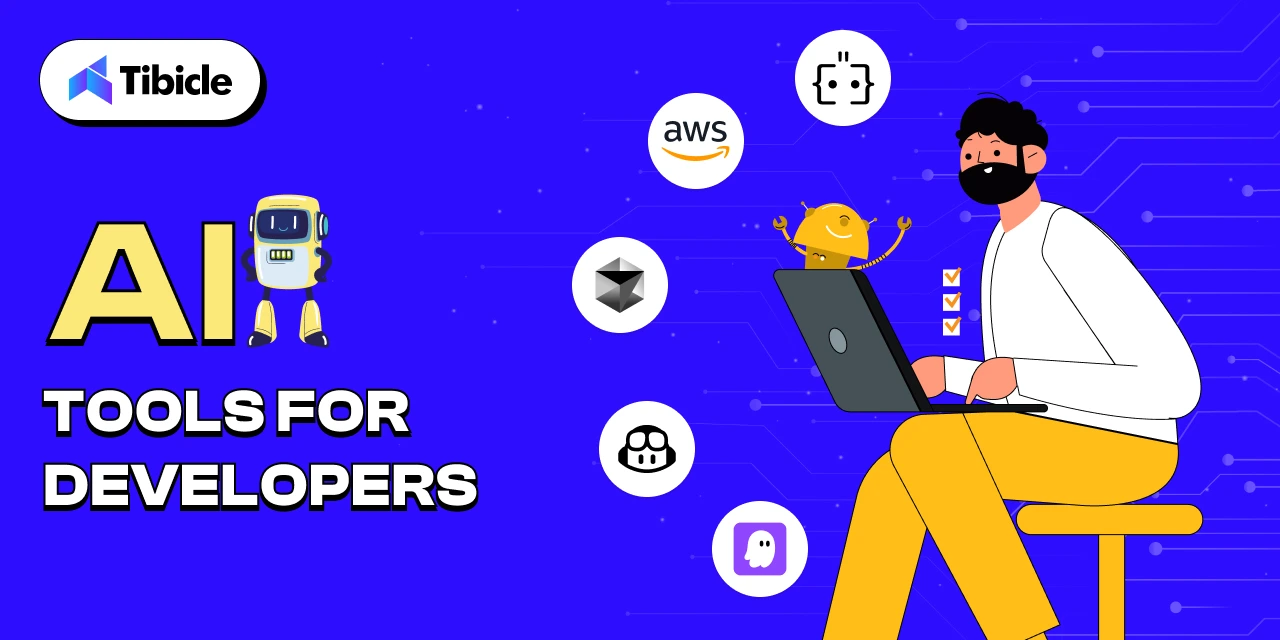
V. AI Tools for Developers

(Speed up coding, debugging, and software creation with AI assistance)

  • Kiro: AI pair programming assistant
  • GitHub Copilot: Context-aware code suggestions
  • Cursor: AI-first code editor
  • Amazon CodeWhisperer: AI coding for cloud development
  • Augment Code: Intelligent code generator and explainer

Let’s explore each tool in more detail, category-wise.

I. AI Tools for Content Creation

From videos to voiceovers and graphics, content generation is now mostly automated. These tools turn simple prompts into production-ready media assets ideal for creators, marketers, educators, and businesses looking to scale content output while saving time and effort. Visual storytelling has never been more accessible.

  • Imagine Art: https://imagine.art

    This powerful tool turns text prompts into visuals or animated videos instantly. It’s excellent for marketing, social media, and brand storytelling when you need eye-catching visuals quickly.

  • Google Veo3: https://ai.google

    Developed by Google, Veo3 adds a cinematic touch to AI-generated video. It’s perfect for creating engaging ad campaigns, intros, or explainer videos.

I gave Veo3 a detailed prompt, uploaded a photo of our actual office, and the result? Monkey Bhai, a trending-style AI vlogger, casually films his “Day in our office.”

It’s surreal, hilarious, and a perfect example of how personalized and imaginative these tools can be.

Want to create your version? Upload any space photo, describe your scene, and let Veo generate something incredible. The possibilities are endless.
  • Sora: https://openai.com/sora

    From the creators of ChatGPT, Sora lets you input a story or script and returns a visually rich video output. It’s ideal for educators, marketers, and creators alike.

  • OpusClip: https://www.opus.pro

    OpusClip breaks down long videos into short, viral clips optimized for platforms like TikTok and YouTube Shorts. It’s essential for repurposing content.

  • Hey Gen: https://www.heygen.com

    Create videos with virtual avatars that look professional and realistic. It’s great for tutorials, onboarding, or corporate messaging without any filming.

II. AI Tools for Web & App Creation

Creating websites and apps is faster than ever, with AI handling everything from wireframes to full-stack deployment. Whether you’re a developer, product manager, or startup founder, these tools help convert ideas into working digital products using just a few prompts or sketches. No need to start from scratch, these tools dramatically speed up prototyping and launch.

  • Relume: https://www.relume.io

    Relume allows users to create complete website wireframes using natural language prompts. This speeds up the early design process and helps product teams iterate faster on layout and structure. It’s perfect for coming up with ideas, client presentations, or planning minimum viable products.

  • Lovable: https://www.lovable.so

    Lovable enables users to create entire websites or mobile app layouts by simply describing what they want in plain English. It’s ideal for quick prototyping and connecting ideas with execution.

  • Bolt: https://bolt.new/

    Bolt turns prompts into full-stack, working web apps within minutes. It supports many use cases from dashboards to form-based apps and allows for easy customization.

  • Firebase Studio: https://firebasestudio.dev

    This tool lets you build apps that are closely integrated with Firebase services. It’s great for developers and startups looking for scalable, secure backends with real-time data, authentication, and more.

  • Replit: https://replit.com

    Replit lets individuals and teams code in the browser with real-time collaboration and AI suggestions. It’s a great choice for pair programming, hackathons, and teaching code.

III. AI Tools for SEO & Digital Marketing

Smart marketing isn’t just about content; it’s about visibility, targeting, and automation. These AI tools optimize everything from keyword research and content scoring to outreach and link building. If you’re aiming to boost traffic or conversion rates, this section has the right digital assistants for you.

  • Writesonic: https://writesonic.com

    Writesonic helps you write blogs, landing pages, ad copy, and more, all optimized for conversions and SEO. It’s a go-to for marketers and founders scaling content output.

  • SE Ranking: https://seranking.com

    This tool makes competitive analysis, keyword tracking, and SEO audits easier. Its user-friendly dashboard makes it accessible even for those not experienced in SEO.

  • Clearscope: https://www.clearscope.io

    Clearscope provides real-time recommendations to boost your content’s SEO score. It’s perfect for editors, content strategists, and freelance writers.

  • Airops: https://airops.com

    Airops simplifies complex SEO tasks like updating sitemaps, fixing broken links, and managing internal linking through automated workflows.

  • Pitchbox: https://pitchbox.com

    Pitchbox manages influencer outreach, backlink acquisition, and follow-ups, making manual cold emailing unnecessary.

IV. AI Tools for Designers

Designing UI, branding assets, or visual systems can now begin with just a rough idea or sketch. These tools empower designers to move from concept to polished output with incredible speed. Whether you’re a solo designer or working with a product team, this section shows how AI can amplify your creative workflow.

  • Uizard: https://uizard.io

    Uizard allows you to upload hand-drawn sketches or screenshots and turns them into interactive UI designs. It’s an excellent tool for early-stage product brainstorming.

  • Stitch (formerly Galileo AI): https://www.stitch.design

    Stitch creates responsive UI layouts from simple prompts, helping designers and developers speed up wireframing and prototyping.

  • UX Pilot: https://uxpilot.ai

    UX Pilot reviews screens and offers practical UX improvements based on usability principles. It’s a great companion for boosting conversion rates.

  • Designs.ai: https://designs.ai

    This all-in-one tool generates brand kits, videos, and social media creatives from just a few prompts. It’s perfect for startups launching their first brand identity.

  • Khroma: https://www.khroma.co

    Khroma uses machine learning to create color palettes tailored to your taste and brand identity. It’s great for designers seeking inspiration or clients who can’t decide on colors.

V. AI Tools for Developers

AI is changing how developers write, debug, and understand code. From real-time code suggestions to full explanations and even entire functions generated from natural language, these tools are invaluable for teams of all sizes. Whether you’re building complex systems or onboarding new engineers, this lineup will boost productivity.

  • Kiro: https://kiro.dev/

    Kiro provides real-time programming help, context-aware suggestions, and debugging support. Consider it your always-available coding partner.

  • GitHub Copilot: https://github.com/features/copilot

    Trained on millions of public codebases, GitHub Copilot writes and fills in code in real-time, making it perfect for faster development.

  • Cursor: https://www.cursor.sh

    Cursor is a developer-centric editor with integrated AI support, code explanations, and test suggestions, built for speed and clarity.

  • Amazon CodeWhisperer: https://aws.amazon.com/codewhisperer

    Made for AWS development, CodeWhisperer helps with writing and understanding code for cloud-based applications.

  • Augment Code: https://augmentcode.com

    Augment Code writes and explains complex snippets, making it easier to debug and collaborate within teams. It’s great for onboarding junior developers.

Final Thoughts

As artificial intelligence continues to evolve at a rapid pace, it’s no longer just a helpful add-on to digital workflows; it’s fundamentally transforming how work gets done across industries. These AI tools are not only enhancing productivity but also expanding the boundaries of what’s possible in software development, digital marketing, UI/UX design, and content creation. They empower individuals and teams to work smarter, automate repetitive processes, and focus on strategic, high-impact tasks.

From writing production-ready code and generating on-brand designs to creating search-optimized content and launching entire digital experiences, AI is now at the center of digital innovation. This shift is particularly powerful for solo creators, fast-growing startups, and enterprise teams alike, enabling them to scale faster, reduce time-to-market, and explore new creative directions with fewer resources.

But it’s not just about working faster, it’s about unlocking new possibilities. The right AI tools allow people to push past limitations that once required large teams or specialized expertise. With the right setup, even small teams can operate at enterprise scale.

In today’s competitive digital landscape, integrating AI where it matters isn’t just a productivity boost; it’s a strategic advantage.

At Tibicle, we specialize in building AI-driven products that are not only functional but future-ready. From custom SaaS platforms and intelligent automation to next-gen web apps with LLM and voice tech, our team delivers end-to-end solutions tailored to your needs.

If you’re looking to build a custom Web, App, or SaaS product with AI capabilities, our expert team is here to help.

You can schedule a call from here or share your requirement from here, and our team will get back to you.


Angular 20 : New key features and updates

Introduction

The Angular team consistently focuses on improving performance and enhancing key features with each new release. It’s always exciting to see how these updates aim to make the framework more powerful and robust. The same happened in version 20, which is designed to provide faster rendering, enhance developer productivity, and offer advanced reactivity, while also simplifying legacy patterns to embrace the future of modern web development. These improvements position Angular as a leading contender for the best web development framework in 2025.

🔥 What’s New in Angular 20?

1. Signals: Now Fully Stable and Ready for Production

The Angular team consistently focuses on improving performance and enhancing key features with each new release. It’s always exciting to see how these updates aim to make the framework more powerful and robust. The same happened in version 20, which is designed to provide faster rendering, enhance developer productivity, and offer advanced reactivity, while also simplifying legacy patterns to embrace the future of modern web development. These improvements position Angular as a leading contender for the best web development framework in 2025.

Here is the list of Signal APIs that are fully stable.

  • signal() – Create a writable signal which is a reactive value container. You can update its state by calling .set() and .update() methods.

  • computed() – Create a derived signal whose value automatically gets recalculated when its dependencies change.

  • effect() – Register a side effect that triggers when the value of the signal changes.

  • toSignal() – Converts Rxjs observable to signal.

  • model() – Signal based two-way binding to simplify communication between two components.

  • viewChild() / contentChild() – Signal based template queries

  • toObservable() – Convert angular signal to Rxjs observable

  • afterRenderEffect() – Registers an effect that executes only after Angular has finished rendering the DOM.

  • linkedSignal() – Create a signal whose value is both derived from one or more source signals and directly upgradable.

  • afterNextSignal() – Register a callback that runs after every next render cycle, but only one time.

🧪 Experimental Signal APIs:
      There are some experimental APIs too, which might get fully stable in upcoming versions.

  • resource() – This API is to manage async operations.

  • rxResource() – treaming versions of resource API, supporting real-time update via Rxjs-like pattern

  • httpResource() – Signal-powered HTTP request, built on HttpClient

  • Signal-based Forms – This is available for preview in this version.

2. Zoneless Change Detection

In version 20 of Angular introduced the Zoneless feature. This is something very powerful change that no one is talking about. Till now, Angular relied on Zone.js to track changes, which sometimes bottlenecks the app’s performance because the change detection keeps triggering for every small change. Zoneless change detection is now in developer preview, offering leaner and faster execution. Now the developer can decide when the zone should trigger. This may seem similar to the OnPush strategy but it’s totally different than OnPush.

How to use zoneless mode:

  • Remove zone.js from angular.json polyfills.

  • Add provideZonelessChangeDetection() to app.config.ts.

  • For new projects, use the –zoneless flag during setup.

Zoneless is a developer preview but offers great potential for performance-critical applications.

3. Modernized control flow syntax: @if, @for and @switch

The modern template syntax introduced in Angular 17 is now the preferred and more stable approach in v20. The classic structural directives (*ngIf, *ngFor, *ngSwitch) are now deprecated.

Code Example:

@if (items().length > 0) {
  <ul>
    @for (item of items(); track item.id; let idx = $index) {
      <li>Item {{ idx + 1 }}: {{ item.name }}</li>
    }
  </ul>
} @else {
  <p>No items</p>
}

4. Dynamic Component Creation

The dynamic component creation is now improved and gives support for two-way binding, directive, input and output bindings. This makes dynamic component creation easier and faster. Using the createComponent method, you can create a dynamic component.

Here is a simple example,

import { createComponent, inputBinding, outputBinding, twoWayBinding } from ‘@angular/core’;

containerRef.createComponent(ChatComponent, {
  bindings: [
    inputBinding(‘name’, this.name),
    outputBinding(‘refreshName’, this.onRefresh),
    twoWayBinding(‘status’, this.statusSignal)
  ]
});

5. Improved Template Expressions

In Angular 20, the team significantly tried to close the gap between Angular’s template syntax and standard JavaScript/TypeScript, making the template more expressive and powerful. Below are the key improvements.

  • Exponentiation Operator (**)  – You can now use the ** operator for power calculation.
    Example,

    <input type=“number” [(ngModel)]=“base” placeholder=“Base” />
    <input type=“number” [(ngModel)]=“exponent” placeholder=“Exponent” />
    <p>Result: {{ base() ** exponent() }}</p>
  • “in” Operator – The angular now supports JavaScript in operator to check if a key exists in the object.
    Example,

    <input [(ngModel)]=“propertyName” placeholder=“Property name” />
    <p>
      “{{ propertyName() }}” exists in circle object: {{ propertyName() in circle }}
    </p>
  • (Un)tagged Template literals – Its now possible to write backticks in HTML and even create a custom function.Example,
    <p>{{ `Hello, ${userName}!` }}</p>
  • Void Operator – The void operator ensures that the function always returns undefined. This is particularly useful in event binding.Example,
    <button (click)=“void saveData()”>Save</button>
  • Operator Precedence Diagnostics – Angular 20 introduces diagnostics for unparenthesized nullish coalescing (??) mixed with logical AND (&&) or OR (||) to prevent ambiguous expressions.
    Example,

    <!– Previously ambiguous –>
    {{ name || user?.name ?? ‘Anonymous’ }}
    <!– Diagnostic now recommends: –>
    {{ name || (user?.name ?? ‘Anonymous’) }}

6. Incremental Hydration for Server-Side Rendering (SSR)

Server-side rendering just got smarter with Incremental Hydration. Instead of hydrating the full DOM serially, Angular 20 enables granular hydration: only the necessary components are hydrated based on user interaction or visibility. This dramatically improves Time to Interactive and overall page speed, vital for SEO and user engagement. This helps to improve the page speed of an Angular app.

7.Router Enhancements

In Angular 20, the team has introduced several router enhancements focusing more on flexibility and security.

Below are the key updates: 

  • Standalone Routing API via provideRouter()

    You can now configure the routing in standalone component without the need for RouterModule. Use the provideRouter function in app’s boostrapApplication.

  • Async Redirects support

    The redirectTo property now allows async observables and promises. This helps router to make async decisions such as checking permission or checking the token.
  • Smarter Route Guard and Resolving

    Gaurds can now be composed with
    runSerially(..) – letting you run multiple guards in order for given routes

  • Improved Tree Shaking and Optional Features

    With
    provideRouter, only the router features you actually use are included in your build. Previously with RouterModule, features like HashLocationStrategy, preloading and Scroll management were always bundled – even if its unused.
    Example,

    import { provideRouter, withPreloading, PreloadAllModules } from ‘@angular/router’;

    bootstrapApplication(AppComponent, {
      providers: [
        provideRouter(routes, withPreloading(PreloadAllModules))
      ]
    })

8. Native Scroll Improvements

Native scroll behaviors are now supported better and configure directly through router. 

Example: 

Programmatically control scroll with options:

this.scroller.scrollToPosition([0, 10], { behavior: ‘smooth’ });

Deprecations in Angular 20

There are some deprecations done in new version. Below are the major deprecations which you need to know.

1) Structural Directive: *ngIf, *ngFor and *ngSwitch

The classic Angular directives ngIf, ngFor and ngSwitch are now deprecated. Developer need to use the template syntax from now onwards

2) Zone.jsrelated APIs

APIs and Flags related to zone.js and experimental change detection are either renamed or not in use anymore

3) Testing Utilities:

  • TestBed.get() → Removed (deprecated since v9). Use TestBed.inject().

  • InjectFlags enum → Removed.

  • fixture.autoDetectChanges(true/false)/code> → The boolean parameter is deprecated/removed. Use without argument for auto detection.

  • ng-reflect-* → attributes — Not generated by default in dev mode. Can be re-enabled with provideNgReflectAttributes() for debugging.

  • The DOCUMENT token → Moved from @angular/common to @angular/core imports auto-migrated.

  • HammerJS → Legacy support deprecated due to lack of maintenance.

Conclusion

From the Angular team, you can always expect improvements and a better development experience in their updates. This time also the team has also proved it why Angular is still the first choice for enterprise solutions. The major update in my opinion, is the Signal enhancements. 

Please share your thoughts on this. What feature do you like the most in this update?


🎉 Tibicle Turns 4: A Journey of Innovation, Resilience, and Growth

This year, Tibicle proudly celebrates its 4th anniversary — marking four years of innovation, resilience, and relentless pursuit of building impactful technology solutions. From a spark of an idea to a thriving IT services company serving global clients, our journey has been nothing short of extraordinary.

🚀 The Beginning: Where It All Started

Back in 2020, Tibicle was born with a vision: to redefine custom software development by blending intuitive UI/UX design, powerful backend infrastructure, and user-centric mobile and web apps. What started as a small, passionate team quickly grew into a force driving digital transformation for businesses across industries.

💪 The Challenges: Tough Roads Build Strong Teams

No success story is complete without challenges — and we faced our fair share:

  • Pandemic Struggles (2020-2021): Launching during a global crisis was daunting. Remote work, shifting client needs, and uncertainty tested our resilience. Yet, we adapted, embraced new workflows, and stayed connected.
  • Scaling Pains (2022): As our client base expanded, so did our responsibilities. Hiring the right talent, streamlining operations, and keeping projects on track wasn’t easy — but our growing leadership team rose to the challenge.
  • Global Expansion (2023): Breaking into international markets, like the US and Europe, required more than expertise — it demanded cultural understanding, flexible solutions, and strong partnerships. Our first international business visit to Qonqord in the Netherlands marked a turning point.

🌟 The Wins: Moments That Defined Us

Despite the hurdles, Tibicle achieved incredible milestones:

  • ✅ Successful Product Launches: From web apps to mobile solutions, we helped clients turn ideas into reality.
  • ✅ New Partnerships: Collaborations with international companies like Qonqord opened doors to new opportunities.
  • ✅ Team Growth: From a handful of people to a strong, diverse team — our people remain our biggest asset.
  • ✅ A stroll through the nearby nature reserve — because the best ideas often come outside the boardroom!

🔥 What’s Next for Tibicle?

Turning 4 isn’t just about looking back — it’s about forging ahead with even bigger ambitions. Our vision for the next phase includes:

  • 🚀 Expanding into New Markets: Strengthening our global presence.
  • 🔧 Launching New Products: Building on our existing prototypes like Aegis and Roley
  • 🎯 Growing Our Team: Nurturing fresh talent and empowering leadership.
  • 🤝 Building More Partnerships: Collaborating with industry leaders to drive innovation.

🎉 Thank You for Being Part of Our Journey

Tibicle’s journey wouldn’t be possible without the incredible support from our clients, partners, and — most importantly — our team. Every challenge conquered, every milestone reached, and every success celebrated is a testament to the passion and perseverance that fuels Tibicle.

Here’s to the next chapter — bigger, bolder, and better than ever! 🚀✨


Tibicle’s First International Business Trip: Strengthening Ties with Qonqord in the Netherlands

October 2024 marked a significant milestone for Tibicle — our first international business visit to the Netherlands to further solidify our growing partnership with Qonqord. This visit wasn’t just about meetings and presentations; it was an experience packed with insightful collaborations, cultural exploration, and unforgettable moments that reflect our shared vision for innovation and growth.


✈️ Day 1: Arrival in the Netherlands

Our leadership team — Raj, Sandip, and Arjun — touched down at Amsterdam Schiphol Airport on October 5th, warmly welcomed by our host, Hans Fermont. The day ended with a relaxing evening in Hilversum, setting the stage for the week ahead.


🌟 Day 2: Exploring Amsterdam Together

October 6th kicked off with a scenic boat tour through Amsterdam’s famous canals, joined by Ronald Leusink, Joris de Meuricy, and Paul Walker from Qonqord. It wasn’t just a tour — it was an open space for brainstorming and casual strategy talks, fostering a stronger personal connection between both teams.

The evening ended with dinner at Loetje, one of Amsterdam’s renowned dining spots, bringing together laughter, ideas, and a toast to future success.


🏢 Day 3: Visiting Qonqord’s Headquarters

October 7th was the big day — our first official visit to Qonqord’s office in Hilversum. We were welcomed by Paul, Gladys, and the entire Qonqord team. The agenda was packed with valuable discussions:

  • Office Tour and Team Introduction 🤝
  • Strategic Meetings on Product Integrations and Joint Solutions
  • Lunch at ‘Eetcafé ‘t Pandje’, blending work and culture
  • A stroll through the nearby nature reserve — because the best ideas often come outside the boardroom!

The day wrapped up with an engaging dinner at Rex Hilversum, where both teams shared reflections and future ambitions.


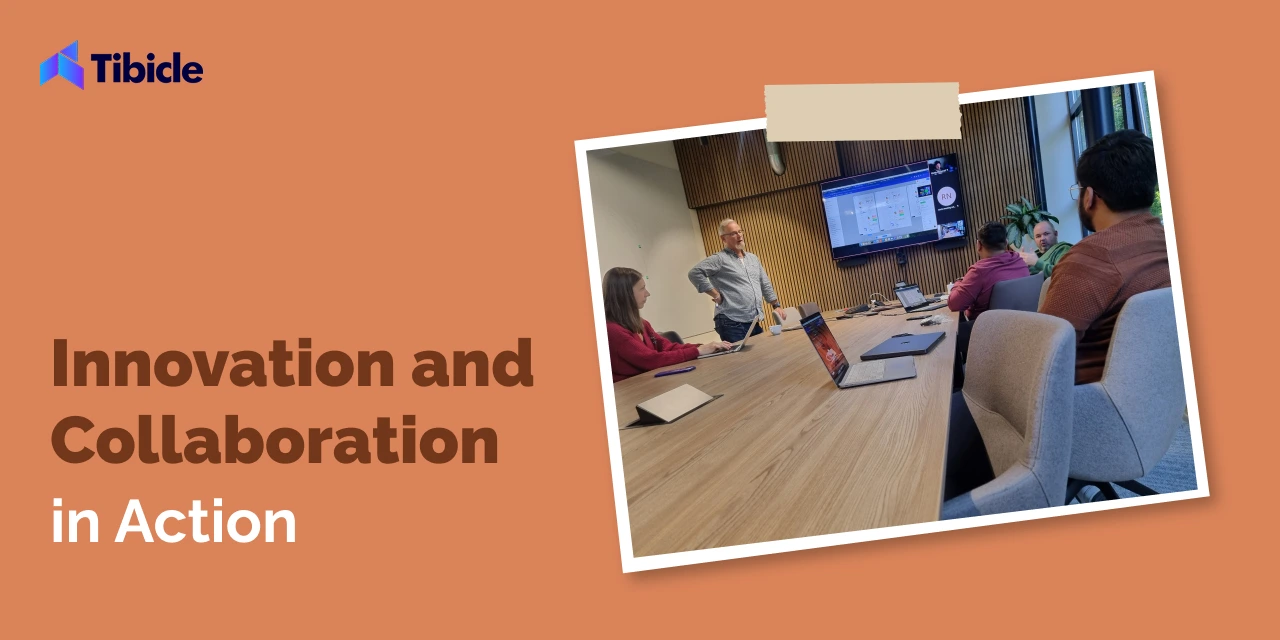
🔥 Day 4: Innovation and Collaboration in Action

October 8th continued with deep-dive discussions, led by Eddy, Joris, Gladys, and our Tibicle team. We explored:

  • Product Roadmap Alignments
  • Prototyping Synergies Between Tibicle & Qonqord
  • New Opportunities in Emerging Markets

The day ended with a fun, laid-back session at Ozebi — blending team bonding with a round of billiards and laughs, proving business and friendship can go hand-in-hand.


🚀 Day 5: Final Talks and Future Planning

October 9th marked our final day at Qonqord’s office, with key discussions on product development and long-term strategies. We also had a focused meeting with Gert and Hans, exploring market expansion plans and the next steps for our collaboration.

The day wrapped up with a lively dinner at The Streetfood Club in Utrecht — the perfect closing to a successful international visit.


🎥 Relive the Journey with Us!

We captured this milestone moment in a full vlog — showcasing the highlights of our meetings, product demos, and cultural experiences.


📹 Watch the full vlog on our YouTube channel:


🔥 Looking Ahead: A Stronger, Global Tibicle

This trip wasn’t just about business — it was about building lasting relationships, understanding each other’s strengths, and shaping the future of innovation together. As Tibicle’s first international visit, it symbolizes the start of our global journey — and we couldn’t have asked for better partners than Qonqord.

Stay tuned for more updates as we continue to grow, innovate, and expand globally. 🌍🚀