0%

Top 25 AI Tools Revolutionizing Digital Workflows in 2025

Introduction

Artificial Intelligence is no longer futuristic—it’s the engine powering digital innovation in 2025. From full-stack web apps and SEO content to UI design and code automation, AI is reshaping how we build and scale digital experiences. Today’s creators, startups, and enterprise teams all demand faster execution, smarter workflows, and higher creativity and AI delivers exactly that. The challenge? With hundreds of new platforms launching every month, finding the right tools can feel overwhelming.
That’s why we’ve curated this guide to the 25 most powerful AI tools worth your time. Each is chosen for its real-world impact, ease of adoption, and ability to supercharge workflows across five key categories.

  • Content Creation – Platforms that produce videos, voiceovers, graphics, and articles, often from just a few lines of text.
  • Web & App Creation – Tools that help create websites, apps, and UI components using natural language or visual inputs.
  • SEO & Digital Marketing – Assistants that improve keyword use, automate outreach, and boost content visibility.
  • Design Tools – AI platforms that turn sketches or prompts into brand assets, wireframes, and design systems.
  • Developer Assistance – Tools focused on smart code suggestions, debugging, and real-time software development support.

Whether you’re prototyping an idea, launching a product, or scaling creative output, these tools will help you work faster, think bigger, and get more done with less manual effort.

Overview of Top 25 AI Tools by Category

Before diving into individual features and use cases, here’s a snapshot of the 25 tools categorized by their core functionality.

I. AI Tools for Content Creation

(Generate videos, visuals, voiceovers, and media content with ease)

  • Imagine Art: Real-time image/video generation
  • Google Veo3: Cinematic AI video generator
  • Sora: Text-to-video storytelling tool
  • OpusClip: AI-powered short video creator
  • Hey Gen: AI avatar-based video production

II. AI Tools for Web & App Creation

(Generate website and app wireframes, design structures, and deploy full-stack applications)

  • Relume: Website wireframes from prompts
  • Lovable: Prompt-based web & app builder
  • Bolt: Instant AI web app generator
  • Firebase Studio: Firebase-integrated app builder
  • Replit: Collaborative, AI-powered coding platform

III. AI Tools for SEO & Digital Marketing

(Automate keyword planning, content optimization, and outreach)

  • Writesonic: AI content & ad generation
  • SE Ranking: Keyword research and tracking tool
  • Clearscope: Content scoring and SEO assistant
  • Airops: SEO automation and workflow integration
  • Pitchbox: Outreach and link-building automation

IV. AI Tools for Designers

(Convert sketches, prompts, or screenshots into complete UI/UX elements and branding assets)

  • Uizard: Sketch-to-UI prototyping tool
  • Stitch (formerly Galileo AI): Prompt-based UI designer
  • UX Pilot: AI-based UX suggestions from screens
  • Designs.ai: Branding suite logo, video, social media assets
  • Khroma: AI-generated color palettes

V. AI Tools for Developers

(Speed up coding, debugging, and software creation with AI assistance)

  • Kiro: AI pair programming assistant
  • GitHub Copilot: Context-aware code suggestions
  • Cursor: AI-first code editor
  • Amazon CodeWhisperer: AI coding for cloud development
  • Augment Code: Intelligent code generator and explainer

Let’s explore each tool in more detail, category-wise.

I. AI Tools for Content Creation
From videos to voiceovers and graphics, content generation is now mostly automated. These tools turn simple prompts into production-ready media assets ideal for creators, marketers, educators, and businesses looking to scale content output while saving time and effort. Visual storytelling has never been more accessible.

  • Imagine Art: https://imagine.art

    This powerful tool turns text prompts into visuals or animated videos instantly. It’s excellent for marketing, social media, and brand storytelling when you need eye-catching visuals quickly.

  • Google Veo3: https://ai.google

    Developed by Google, Veo3 adds a cinematic touch to AI-generated video. It’s perfect for creating engaging ad campaigns, intros, or explainer videos.

I gave Veo3 a detailed prompt, uploaded a photo of our actual office, and the result? Monkey Bhai, a trending-style AI vlogger, casually films his “Day in our office.”

It’s surreal, hilarious, and a perfect example of how personalized and imaginative these tools can be.

Want to create your version? Upload any space photo, describe your scene, and let Veo generate something incredible. The possibilities are endless.
  • Sora: https://openai.com/sora

    From the creators of ChatGPT, Sora lets you input a story or script and returns a visually rich video output. It’s ideal for educators, marketers, and creators alike.

  • OpusClip: https://www.opus.pro

    OpusClip breaks down long videos into short, viral clips optimized for platforms like TikTok and YouTube Shorts. It’s essential for repurposing content.

  • Hey Gen: https://www.heygen.com

    Create videos with virtual avatars that look professional and realistic. It’s great for tutorials, onboarding, or corporate messaging without any filming.

II. AI Tools for Web & App Creation
Creating websites and apps is faster than ever, with AI handling everything from wireframes to full-stack deployment. Whether you’re a developer, product manager, or startup founder, these tools help convert ideas into working digital products using just a few prompts or sketches. No need to start from scratch, these tools dramatically speed up prototyping and launch.

  • Relume: https://www.relume.io

    Relume allows users to create complete website wireframes using natural language prompts. This speeds up the early design process and helps product teams iterate faster on layout and structure. It’s perfect for coming up with ideas, client presentations, or planning minimum viable products.

  • Lovable: https://www.lovable.so

    Lovable enables users to create entire websites or mobile app layouts by simply describing what they want in plain English. It’s ideal for quick prototyping and connecting ideas with execution.

  • Bolt: https://bolt.new/

    Bolt turns prompts into full-stack, working web apps within minutes. It supports many use cases from dashboards to form-based apps and allows for easy customization.

  • Firebase Studio: https://firebasestudio.dev

    This tool lets you build apps that are closely integrated with Firebase services. It’s great for developers and startups looking for scalable, secure backends with real-time data, authentication, and more.

  • Replit: https://replit.com

    Replit lets individuals and teams code in the browser with real-time collaboration and AI suggestions. It’s a great choice for pair programming, hackathons, and teaching code.

III. AI Tools for SEO & Digital Marketing
Smart marketing isn’t just about content; it’s about visibility, targeting, and automation. These AI tools optimize everything from keyword research and content scoring to outreach and link building. If you’re aiming to boost traffic or conversion rates, this section has the right digital assistants for you.

  • Writesonic: https://writesonic.com

    Writesonic helps you write blogs, landing pages, ad copy, and more, all optimized for conversions and SEO. It’s a go-to for marketers and founders scaling content output.

  • SE Ranking: https://seranking.com

    This tool makes competitive analysis, keyword tracking, and SEO audits easier. Its user-friendly dashboard makes it accessible even for those not experienced in SEO.

  • Clearscope: https://www.clearscope.io

    Clearscope provides real-time recommendations to boost your content’s SEO score. It’s perfect for editors, content strategists, and freelance writers.

  • Airops: https://airops.com

    Airops simplifies complex SEO tasks like updating sitemaps, fixing broken links, and managing internal linking through automated workflows.

  • Pitchbox: https://pitchbox.com

    Pitchbox manages influencer outreach, backlink acquisition, and follow-ups, making manual cold emailing unnecessary.

IV. AI Tools for Designers
Designing UI, branding assets, or visual systems can now begin with just a rough idea or sketch. These tools empower designers to move from concept to polished output with incredible speed. Whether you’re a solo designer or working with a product team, this section shows how AI can amplify your creative workflow.

  • Uizard: https://uizard.io

    Uizard allows you to upload hand-drawn sketches or screenshots and turns them into interactive UI designs. It’s an excellent tool for early-stage product brainstorming.

  • Stitch (formerly Galileo AI): https://www.stitch.design

    Stitch creates responsive UI layouts from simple prompts, helping designers and developers speed up wireframing and prototyping.

  • UX Pilot: https://uxpilot.ai

    UX Pilot reviews screens and offers practical UX improvements based on usability principles. It’s a great companion for boosting conversion rates.

  • Designs.ai: https://designs.ai

    This all-in-one tool generates brand kits, videos, and social media creatives from just a few prompts. It’s perfect for startups launching their first brand identity.

  • Khroma: https://www.khroma.co

    Khroma uses machine learning to create color palettes tailored to your taste and brand identity. It’s great for designers seeking inspiration or clients who can’t decide on colors.

V. AI Tools for Developers
AI is changing how developers write, debug, and understand code. From real-time code suggestions to full explanations and even entire functions generated from natural language, these tools are invaluable for teams of all sizes. Whether you’re building complex systems or onboarding new engineers, this lineup will boost productivity.

  • Kiro: https://kiro.dev/

    Kiro provides real-time programming help, context-aware suggestions, and debugging support. Consider it your always-available coding partner.

  • GitHub Copilot: https://github.com/features/copilot

    Trained on millions of public codebases, GitHub Copilot writes and fills in code in real-time, making it perfect for faster development.

  • Cursor: https://www.cursor.sh

    Cursor is a developer-centric editor with integrated AI support, code explanations, and test suggestions, built for speed and clarity.

  • Amazon CodeWhisperer: https://aws.amazon.com/codewhisperer

    Made for AWS development, CodeWhisperer helps with writing and understanding code for cloud-based applications.

  • Augment Code: https://augmentcode.com

    Augment Code writes and explains complex snippets, making it easier to debug and collaborate within teams. It’s great for onboarding junior developers.

Final Thoughts

As artificial intelligence continues to evolve at a rapid pace, it’s no longer just a helpful add-on to digital workflows; it’s fundamentally transforming how work gets done across industries. These AI tools are not only enhancing productivity but also expanding the boundaries of what’s possible in software development, digital marketing, UI/UX design, and content creation. They empower individuals and teams to work smarter, automate repetitive processes, and focus on strategic, high-impact tasks.

From writing production-ready code and generating on-brand designs to creating search-optimized content and launching entire digital experiences, AI is now at the center of digital innovation. This shift is particularly powerful for solo creators, fast-growing startups, and enterprise teams alike, enabling them to scale faster, reduce time-to-market, and explore new creative directions with fewer resources.

But it’s not just about working faster, it’s about unlocking new possibilities. The right AI tools allow people to push past limitations that once required large teams or specialized expertise. With the right setup, even small teams can operate at enterprise scale.

In today’s competitive digital landscape, integrating AI where it matters isn’t just a productivity boost; it’s a strategic advantage.

At Tibicle, we specialize in building AI-driven products that are not only functional but future-ready. From custom SaaS platforms and intelligent automation to next-gen web apps with LLM and voice tech, our team delivers end-to-end solutions tailored to your needs.

If you’re looking to build a custom Web, App, or SaaS product with AI capabilities, our expert team is here to help.

You can schedule a call from here or share your requirement from here, and our team will get back to you.


🎉 Tibicle Turns 4: A Journey of Innovation, Resilience, and Growth

This year, Tibicle proudly celebrates its 4th anniversary — marking four years of innovation, resilience, and relentless pursuit of building impactful technology solutions. From a spark of an idea to a thriving IT services company serving global clients, our journey has been nothing short of extraordinary.

🚀 The Beginning: Where It All Started

Back in 2020, Tibicle was born with a vision: to redefine custom software development by blending intuitive UI/UX design, powerful backend infrastructure, and user-centric mobile and web apps. What started as a small, passionate team quickly grew into a force driving digital transformation for businesses across industries.

💪 The Challenges: Tough Roads Build Strong Teams

No success story is complete without challenges — and we faced our fair share:

  • Pandemic Struggles (2020-2021): Launching during a global crisis was daunting. Remote work, shifting client needs, and uncertainty tested our resilience. Yet, we adapted, embraced new workflows, and stayed connected.
  • Scaling Pains (2022): As our client base expanded, so did our responsibilities. Hiring the right talent, streamlining operations, and keeping projects on track wasn’t easy — but our growing leadership team rose to the challenge.
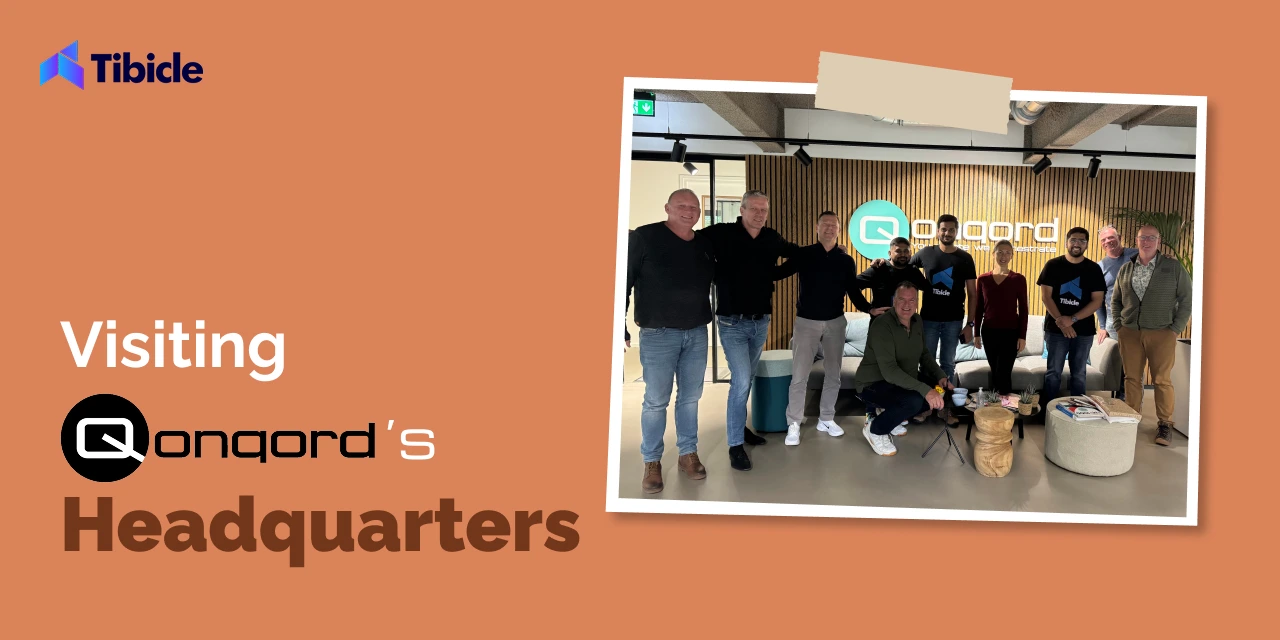
  • Global Expansion (2023): Breaking into international markets, like the US and Europe, required more than expertise — it demanded cultural understanding, flexible solutions, and strong partnerships. Our first international business visit to Qonqord in the Netherlands marked a turning point.

🌟 The Wins: Moments That Defined Us

Despite the hurdles, Tibicle achieved incredible milestones:

  • Successful Product Launches: From web apps to mobile solutions, we helped clients turn ideas into reality.
  • New Partnerships: Collaborations with international companies like Qonqord opened doors to new opportunities.
  • Team Growth: From a handful of people to a strong, diverse team — our people remain our biggest asset.
  • A stroll through the nearby nature reserve — because the best ideas often come outside the boardroom!

🔥 What’s Next for Tibicle?

Turning 4 isn’t just about looking back — it’s about forging ahead with even bigger ambitions. Our vision for the next phase includes:

  • 🚀 Expanding into New Markets: Strengthening our global presence.
  • 🔧 Launching New Products: Building on our existing prototypes like Aegis and Roley
  • 🎯 Growing Our Team: Nurturing fresh talent and empowering leadership.
  • 🤝 Building More Partnerships: Collaborating with industry leaders to drive innovation.

🎉 Thank You for Being Part of Our Journey

Tibicle’s journey wouldn’t be possible without the incredible support from our clients, partners, and — most importantly — our team. Every challenge conquered, every milestone reached, and every success celebrated is a testament to the passion and perseverance that fuels Tibicle.

Here’s to the next chapter — bigger, bolder, and better than ever! 🚀✨

Website Launch Checklist: 20 Essential Steps for a Successful Launch

Are you excited about reaching another milestone for your business’s online presence? It’s the moment when your hard work goes live for the world to see, but it’s also a critical phase that requires careful attention to detail.

Behind every smooth launch is meticulous planning. From designing a flawless website to launching high-performing coding, you have to keep in mind various aspects for great results.

Owing to various parts of website development and launch, missing a single step can lead to security vulnerabilities, poor user experience, and broken links. These can frustrate visitors and impact your brand’s reputation.

Despite that, you can use a pre-launch checklist to review all the most critical features before publishing your website live. Thus, you can save your website from a poorly executed launch strategy.

Now, the question is, how do you do that?

Don’t worry. This blog comes to the rescue.

In this blog, we’ll provide a comprehensive website launch checklist to help ensure your website launch is as seamless as possible. By the end of this pre-launching website launch checklist, you’ll be able to confidently launch your website, knowing that everything has been double-checked and is ready to shine.

Crucial 20 Website Launch Checklist Before Launching Your Website

From the first seconds of visiting the website, people judge your business based on your website’s design. So, let’s discuss the design checklist first.

#1. Design and User Experience (UX)

Every user who visits your website only connects with you when they understand your vision and value. Design is the only way that influences the users so they can connect with your brand and do what you want, such as buy your products or send a query to learn more about services.

That’s why, to launch an effective website, you need to check everything about the design.  These are the checklists that you need to ensure a credible website design for your website.

Consistent Design Across Devices

Website Navigation

Whitespace and Padding

Text Size and Readability

Images and Media Scaling

No Horizontal Scrolling

Clickable Buttons and Links

Orientation Adjustments

Call-to-Action (CTA)

A- Consistent Design Across Devices

Firstly, there is a tremendous amount of variety in the device’s size. That’s why your website needs a responsive design to easily adjust any device size. Ensure the overall design is consistent between various devices in desktop and mobile versions to maintain the same brand feel and style.

Check that fluid grid layouts and media queries are added to adjust the layout based on the screen size.

Implement a mobile-first approach to prioritize mobile responsiveness before scaling up to larger devices.

Use srcset attributes and sizes attributes to ensure images scale appropriately across devices.

Confirm that your text displays correctly on all devices.

Ensure that touch elements are properly aligned with your design.

Now they visited your website and want to explore your website, what will they do next?

B- Website Navigation

After they visit your website, you need to focus on how they interact with it.  That way, optimized navigation is the essential factor that allows visitors to explore your website. To ensure smooth navigation, you can check the following pointers before launching your website.

Ensure the navigation structure is simple and logical.

Limited menu items.

Ensure drop-down menus or mega menus function properly, with all options visible and selectable.

Use familiar terms and labels that clearly describe each section or page.

Check that the navigation is optimized for mobile devices and that all links are properly working.

Verify that mobile users can easily access key areas of the site without excessive scrolling or zooming.

Make sure the navigation is consistent on every page, both in style and structure.

Ensure the position of the menu (top, side, footer) remains the same across all pages.

Verify that all navigation links lead to the correct destination.

Highlight the active page or section so users know where they are on the site.

Check for broken or dead links and fix any errors.

Avoid vague terms like “stuff” or “click here.” Use meaningful and concise words.

Ensure icons used in navigation are easy to understand and support the text labels.

Check if the sticky navigation works well across devices.

Ensure the back-to-top button is functional, especially on long pages, making navigation easier.

Confirm the footer contains additional navigation links for key pages, providing an alternative way for users to move through the site.

Check if the footer is consistent and functional across all pages.

Check for custom 404 error pages to handle broken or missing links gracefully, guiding users back to a working section of the site.

Ensure the 404 page includes helpful navigation or search features.

For the large webpage’s website, the breadcrumb navigation system is useful. So, if you are adding this type of navigation, review all breadcrumbs to be functional and clickable.

Test the search bar to ensure it provides relevant and accurate results for user queries.

Ensure that the search results page is easy to navigate.

By focusing on these factors, you can guarantee that users will have an enjoyable and seamless experience when navigating your website after development.

Node JS vs PHP: Which Backend to Choose for Your Project

Choosing the right backend technology is a crucial decision that can significantly impact the success of your project. Whether you’re building a simple website, a complex web application, or an API-driven platform, the backend forms the foundation of your entire digital ecosystem. Two of the most popular options in the web development world are Node js vs PHP. Both have their strengths and unique features, but they cater to different needs and project types.

In this blog, we’ll explore the key differences between Node js vs PHP, helping you understand which technology is best suited for your specific requirements. By the end, you’ll have a clearer idea of whether to go with Node.js for its high performance and scalability or stick with PHP for its ease of use and widespread support. 

Let’s dive in and compare these two powerful backend technologies to help you make an informed choice for your next project.

What is Node.js?

Node.js is a technology that helps run web applications on servers. Imagine it as a super-efficient engine that handles requests and sends data back to users. 

For example, when you use a chat app, Node.js manages the messages and updates in real-time. It uses JavaScript, a language commonly used in web browsers, but runs on the server instead.

This means developers can write both the front-end and back-end of web applications in the same language, making it easier to build and maintain websites and apps. Node.js is popular for its speed and ability to handle many tasks at once.

What is PHP?

PHP is a scripting language used to create and manage websites. Think of it like a set of instructions that a web server follows to generate web pages. When you visit a website, PHP helps to pull information from a database, process it, and display it on the page you see. It’s especially good for creating interactive features, like user logins and forms. 

For example, when you log into your email account, PHP helps manage that process in the background. It works behind the scenes, so you don’t see it directly, but it’s crucial for many websites to function smoothly. With the dominating figure of 75.9% of all the websites whose server-side programming language we know, use PHP. Such as Microsoft.com, Facebook.com, Wikipedia.org, WordPress.org, and Vimeo.com.

Node js vs PHP: A Quick Comaprison Table

AspectNode.jsPHPWinner
Language TypeJavaScript (server-side)Server-side scripting languageTie (depends on preference)
PerformanceFast, non-blocking I/OImproved performance in recent versions, but generally slower than Node.jsNode.js
ScalabilityExcellent for real-time, scalable applicationsGood for traditional web applications, but less scalable for real-time appsNode.js
Learning CurveSteeper for beginners, easier for those familiar with JavaScriptEasier for beginners, widely taughtPHP
Community SupportLarge, active communityVery large, mature communityTie
Package Managementnpm (largest package ecosystem)Composer (growing, but smaller than npm)Node.js
Framework AvailabilityExpress.js, Nest.js, MeteorLaravel, Symfony, CodeIgniterTie
Database SupportExcellent with NoSQL (e.g., MongoDB), good with SQLExcellent with SQL, good with NoSQLTie
Hosting OptionsMany options, some specializing in Node.jsWidely supported, often cheaperPHP
Use CasesReal-time applications, APIs, microservicesContent management systems, traditional websitesDepends on project
Job Market (2024)High demand, growingStable demand, widely usedNode.js (for growth)
Corporate BackingSupported by OpenJS FoundationSupported by PHP FoundationTie
Latest Version (2024)Node.js 20.x (LTS)PHP 8.3Tie
Development SpeedFast for experienced developersFast, especially with modern frameworksTie
Cross-platform SupportExcellentGood, but less nativeNode.js
Asynchronous ProgrammingBuilt-in, core featurePossible, but not as seamlessNode.js
SecurityGood, requires careful configurationGood, mature security practicesTie
Enterprise AdoptionGrowing rapidlyWell-establishedPHP (for now)
Mobile App DevelopmentSuitable with frameworks like React NativeLess common, but possible with frameworks like PhoneGapNode.js

Let’s read detailed comparing Node JS vs PHP

Choosing between Node.js and PHP for your project depends on various factors, including your project requirements, team expertise, and long-term goals. Below is a comparison of both technologies to help you make an informed decision: